Tasmota Home Deluxe
Smartifying my Home Deluxe air conditioner with Tasmota
Idea
I want to control my air conditioner with my home server, using temperature sensors from inside and outside the house to switch the air conditioning on and off based on that instead of just relying on the air conditioner's internal logic.
I disassembled the device and although I found some promising text on the controller board, there did not seem to be any smart home solution inside.
So, my idea was to connect an ESP8266 (using a Wemos D1 Mini) to simulate button presses and to trigger them via the Tasmota interface (because I already use that in my home automation on my server).
Wiring
I was very careful with the controller board and because I do not know what voltage is used with the buttons, I decided to play it safe - also I wouldn't want to possibly brick my relatively expensive air conditioning unit.
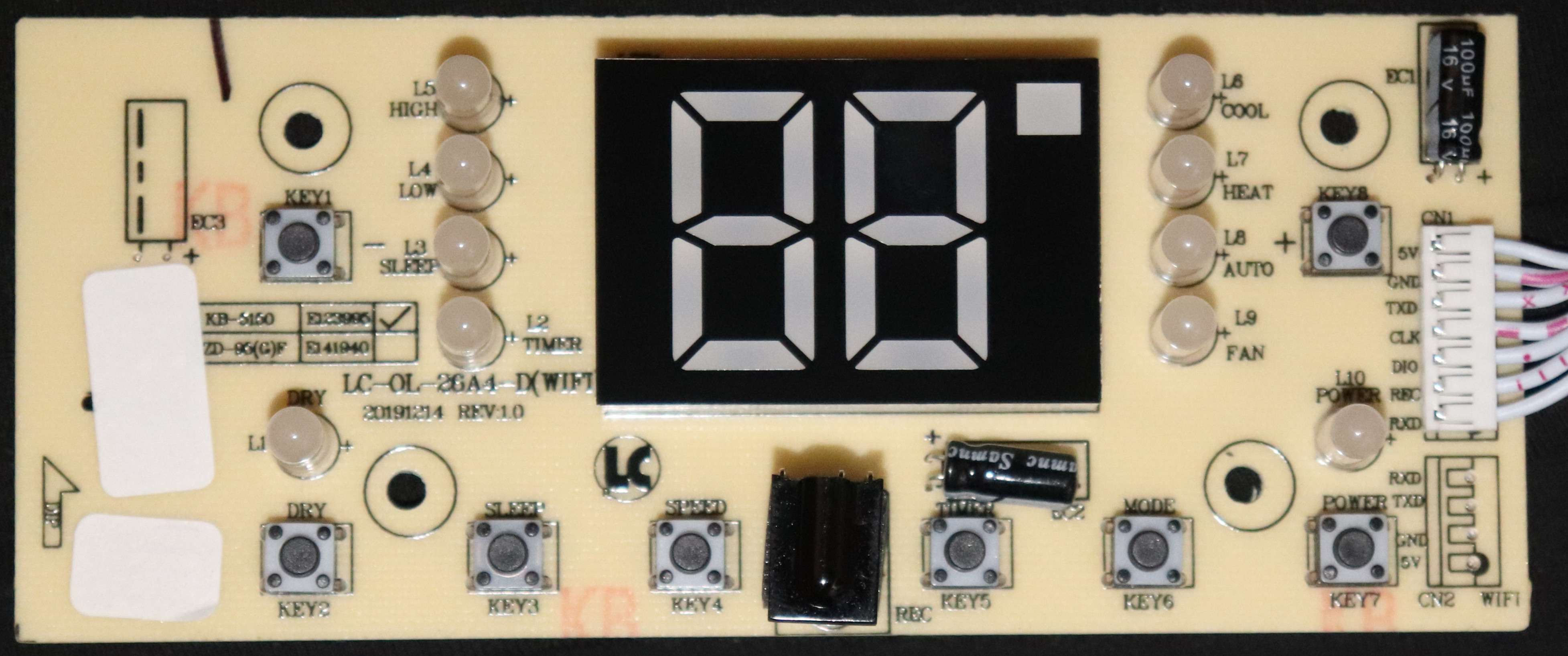
I tried to use the obvious serial interface the controller board offers at its lower right side as WIFI and the one on the incoming connector but I wasn't able to get any usable data off of that using a standard USB-to-Serial adapter no matter the baud rate or bit settings.
I also considered connecting to the IR port used with the simple IR remote control but I figured, I wouldn't need to integrate anything into the unit to control it that way.
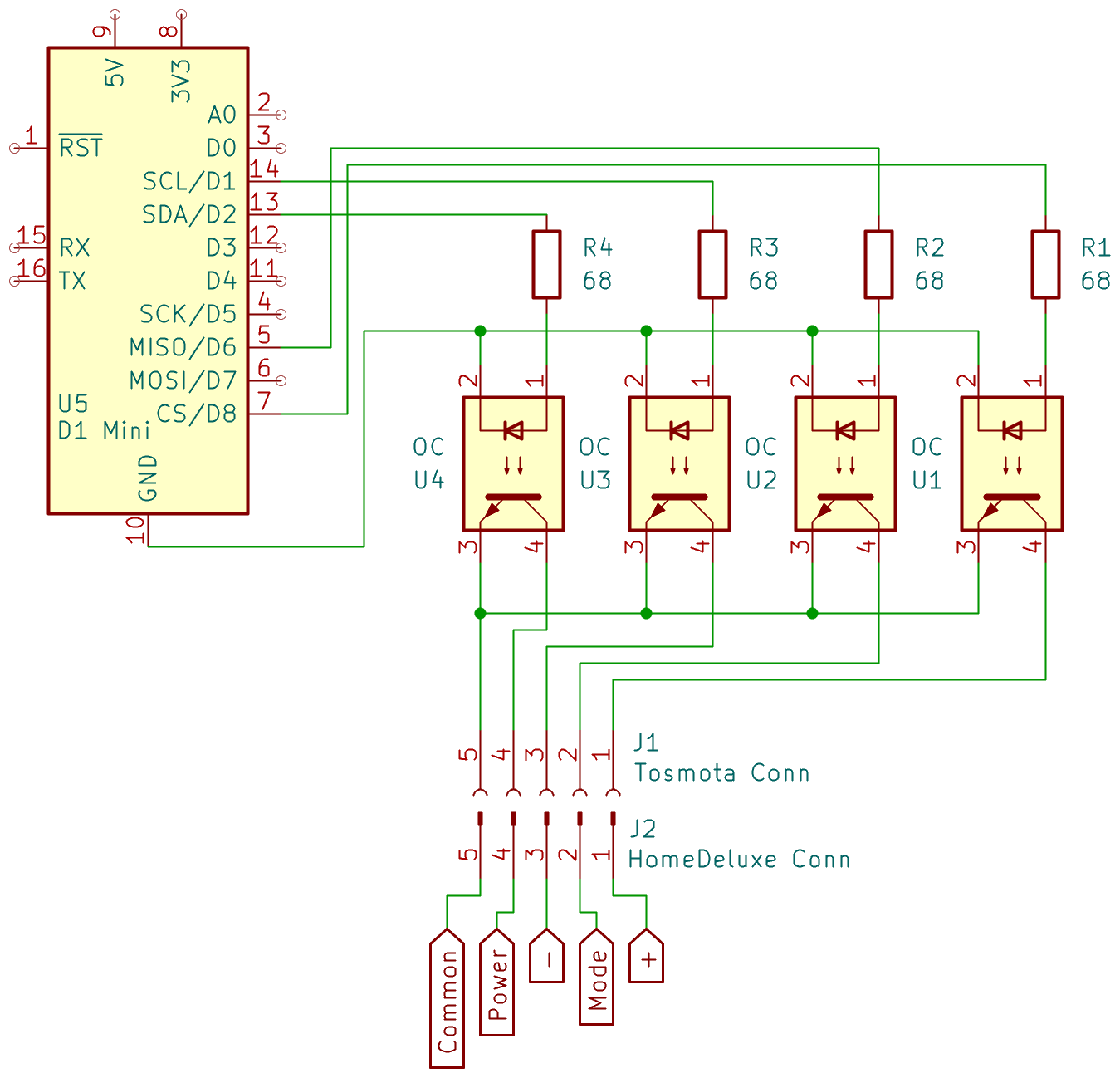
In the end, I decided to use the push-buttons to control the unit. My solution was to use photo-couplers to implement the push-button behavior of the controller board's inputs with 3V3 D1 Mini outputs. After some dry testing, this works fine and although it is a bit of overkill, I have the parts laying around so why not use them.
I also found that the controller board's 5V line is always on, so I'll use that to power the D1 Mini.
Preparing the D1 Mini
First thing that got me, was that the digital pin layout of the D1 Mini does not match the GPIOs used in Tasmota. So, here is my configuration from the D1 Mini all the way to the controller board:
| D1 Mini | GPIO | Photo- coupler |
Cable | Button |
|---|---|---|---|---|
| D0 | 16 | - | - | - |
| D1 | 5 | 4 | brown | Key7 [Power] |
| D2 | 4 | 3 | yellow | Key1 [-] |
| D3 | 0 | - | - | - |
| D4 | 2 | - | - | - |
| D5 | 14 | - | - | - |
| D6 | 12 | 1 | green | Key8 [+] |
| D7 | 13 | - | - | - |
| D8 | 15 | 2 | orange | Key6 [Mode] |
| TX | 1 | - | - | - |
| RX | 3 | - | - | - |
| GND | - | - | black | GND |
| 5V | - | - | red | 5V |
| - | - | all | blue | Key common (connected to on press) |
| - | - | - | - | Key2 [Dry] |
| - | - | - | purple | Key3 [Sleep] |
| - | - | - | - | Key4 [Speed] |
| - | - | - | - | Key5 [Timer] |
In the end, I would solely need GND, 5V, Key common and Power but I also connected the rest I had setup.
To easily integrate this setup into my automation, I installed Tasmota via the Web Uploader onto the Wemos D1 Mini connected to my PC via USB cable.
I connected it to my IOT Wifi network and then opened its config page in the browser.
Configuring Tasmota
To control the push-buttons, I created my own template first registering my GPIOs as User in Configuration -> Template on the web page and all others as None:
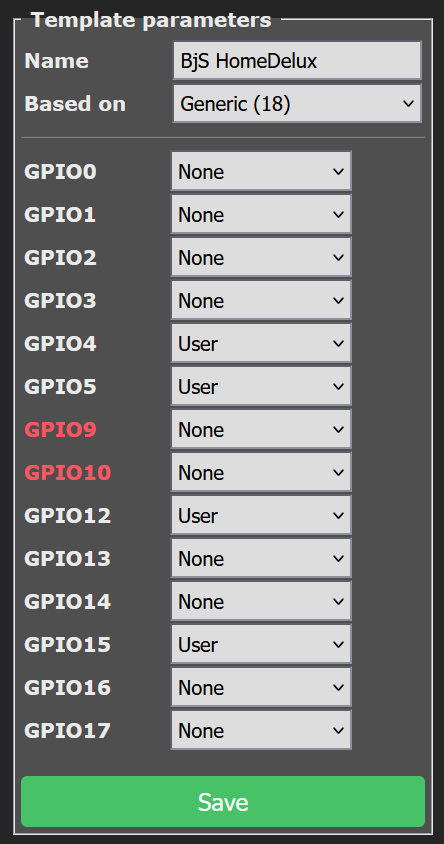
This can also be done by setting the resulting JSON in Configuration -> Other -> Template and enabling the Activate checkbox:
{"NAME":"HomeDelux","GPIO":[0,0,0,0,1,1,0,0,1,0,0,1,0,0],"FLAG":0,"BASE":18}I then set all selected GPIOs to type Relay, numbering them according to the table above at Configuration -> Module:
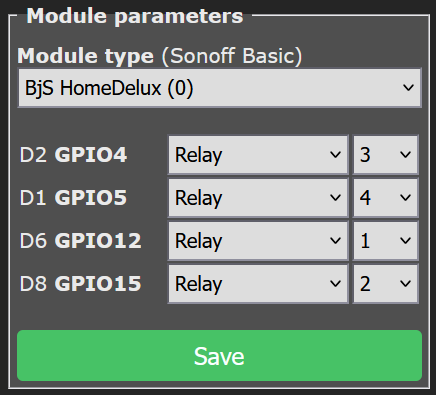
To make the relays simulate a short push-button press, I configured a 300ms pulse time for each relay using the Console of the web interface with these commands:
PulseTime1 3
PulseTime2 3
PulseTime3 3
PulseTime4 3
I configured some custom names so I wouldn't forget which relay represents which push-button with these commands, also in the Console:
WebButton1 +
WebButton2 Mode
WebButton3 -
WebButton4 Power
This results in a nice UI where you can press each button as if it was on the unit itself.

Last, I configured my MQTT server and a friendly name in the Configuration and now I was able to include this into my home automation.